
Let’s create a installation directory in our servers home folder
mkdir -p ~/monitee-agent/{config,data} && cd ~/monitee-agentThe server expects a configuration.yml in the configuration directory. Let’s download the latest one using wget
cd configwget https://raw.githubusercontent.com/Krillsson/monitee-agent/refs/heads/master/config/configuration.yml
wget https://raw.githubusercontent.com/Krillsson/monitee-agent/refs/heads/master/config/application.propertiesUse your favorite text editor to edit the user & password of the config
nano configuration.yml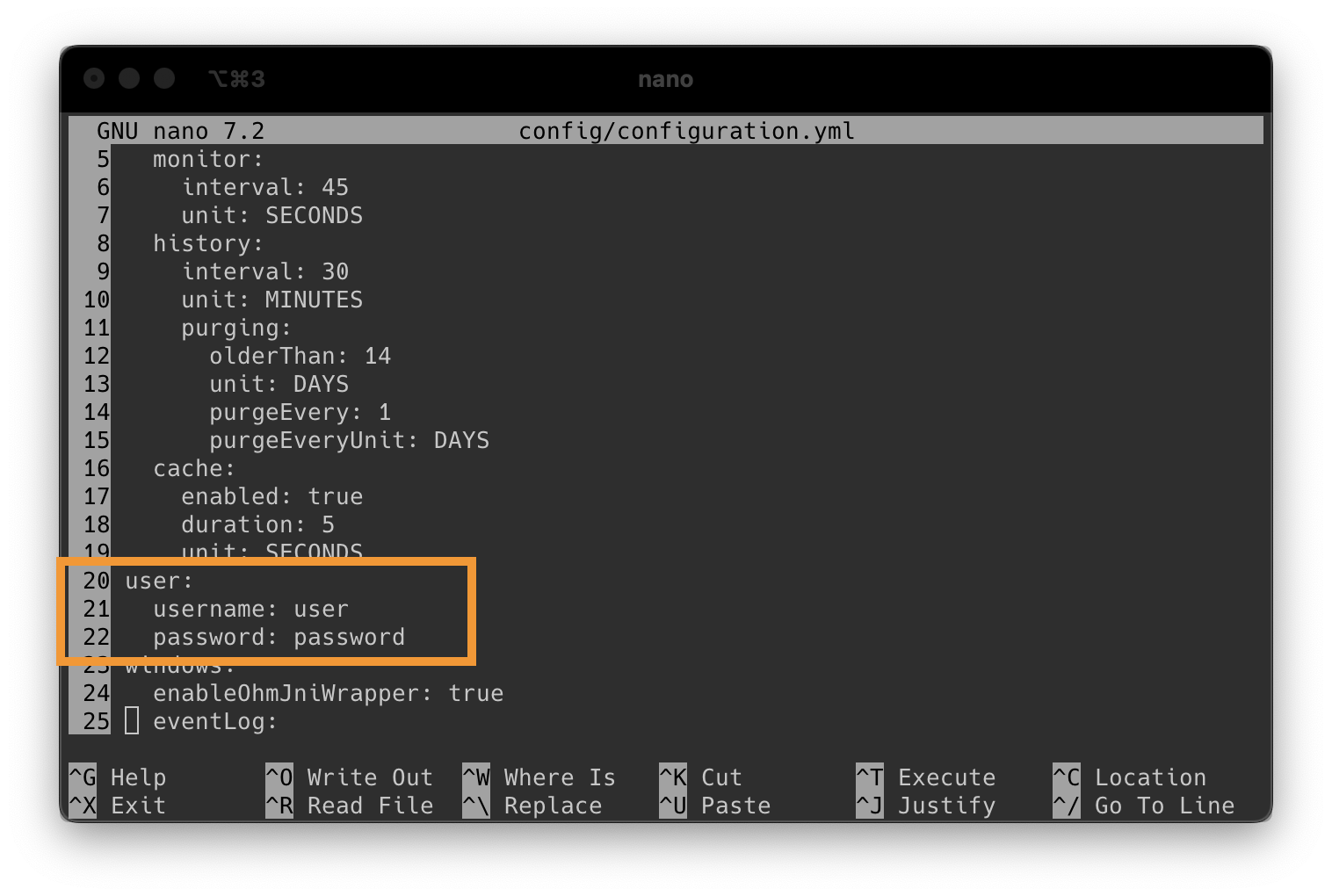
Then press CTRL+X to exit nano (and press Y to save)
Now we can start the container.
docker run -d \
    --net=host \
    --pid=host \
    --name monitee-agent \
    --cap-add SYS_RAWIO \
    -v ~/monitee-agent/data:/data \
    -v ~/monitee-agent/config:/config \
    -v /etc/localtime:/etc/localtime:ro \
    -v /var/run/docker.sock:/var/run/docker.sock \
    -v /run/udev:/run/udev:ro \
    -v /run/systemd:/run/systemd \
    -v /etc/machine-id:/etc/machine-id:ro \
    -v /run/systemd/journal/socket:/run/systemd/journal/socket:ro \
    -v /run/log/journal:/run/log/journal:ro \
    -v /dev:/dev:ro \
    -v /srv:/srv:ro \
    -v /etc/os-release:/etc/os-release:ro \
    krillsson/sys-api
Want to monitor the temperature of disks? Each device you’d like to monitor has to be added to the command above through –device=/dev/sdX (sda, sdb, etc). List disks on your system with lsblk –nodeps -n -o name
Want to monitor a nvidia GPU? Also add this to the command:
-e ‘NVIDIA_VISIBLE_DEVICES’=’all’
-e ‘NVIDIA_DRIVER_CAPABILITIES’=’utility’
–runtime=nvidia
or substitute all with the specific gpu index (e.g “0”)
The file browser is off by default. It can only reach the directories listed under roots in
configuration.yml, so a container needs the host directory bind mounted first. Add the mount to
the command above:
-v /mnt/user:/storage \and then list the path inside the container in configuration.yml:
fileBrowser:
  enabled: true
  access: READ
  roots:
    - /storage
access: READ gives browsing, reading and downloading. access: READ_WRITE also allows editing,
uploading, copying, moving and deleting. A few things worth knowing before turning that on:
- The container runs as root, so
READ_WRITEmeans the agent password is write access to everything you mount. Mount the directories you actually want to reach, never/. - Mount the volume
:rowhile you are onaccess: READ, and the kernel enforces the read only part for you. - Keep
/configand/dataout of the roots. If they are reachable,READ_WRITElets a caller edit the agent’s own configuration and database, and the agent says so in the log at startup.
Let’s verify the server started correctly
docker logs --follow --tail 200 monitee-agentWhen you see the following, we know that the server is up and running:
[...]: Tomcat started on ports 8443 (https), 8080 (http) with context path '/'
[...]: Started SysAPIApplicationKt in 6.352 seconds (process running for 7.234)
Now you are ready to proceed to next step
Connect App to Server