Let’s create an installation directory under a docker folder in our servers home folder
mkdir -p ~/docker/monitee-agent/{config,data} && cd ~/docker/monitee-agentThe server expects a configuration.yml in the configuration directory. Let’s download the latest one using wget
cd configwget https://raw.githubusercontent.com/Krillsson/monitee-agent/refs/heads/master/config/configuration.yml
wget https://raw.githubusercontent.com/Krillsson/monitee-agent/refs/heads/master/config/application.propertiesUse your favorite text editor to edit the user & password of the config
nano configuration.yml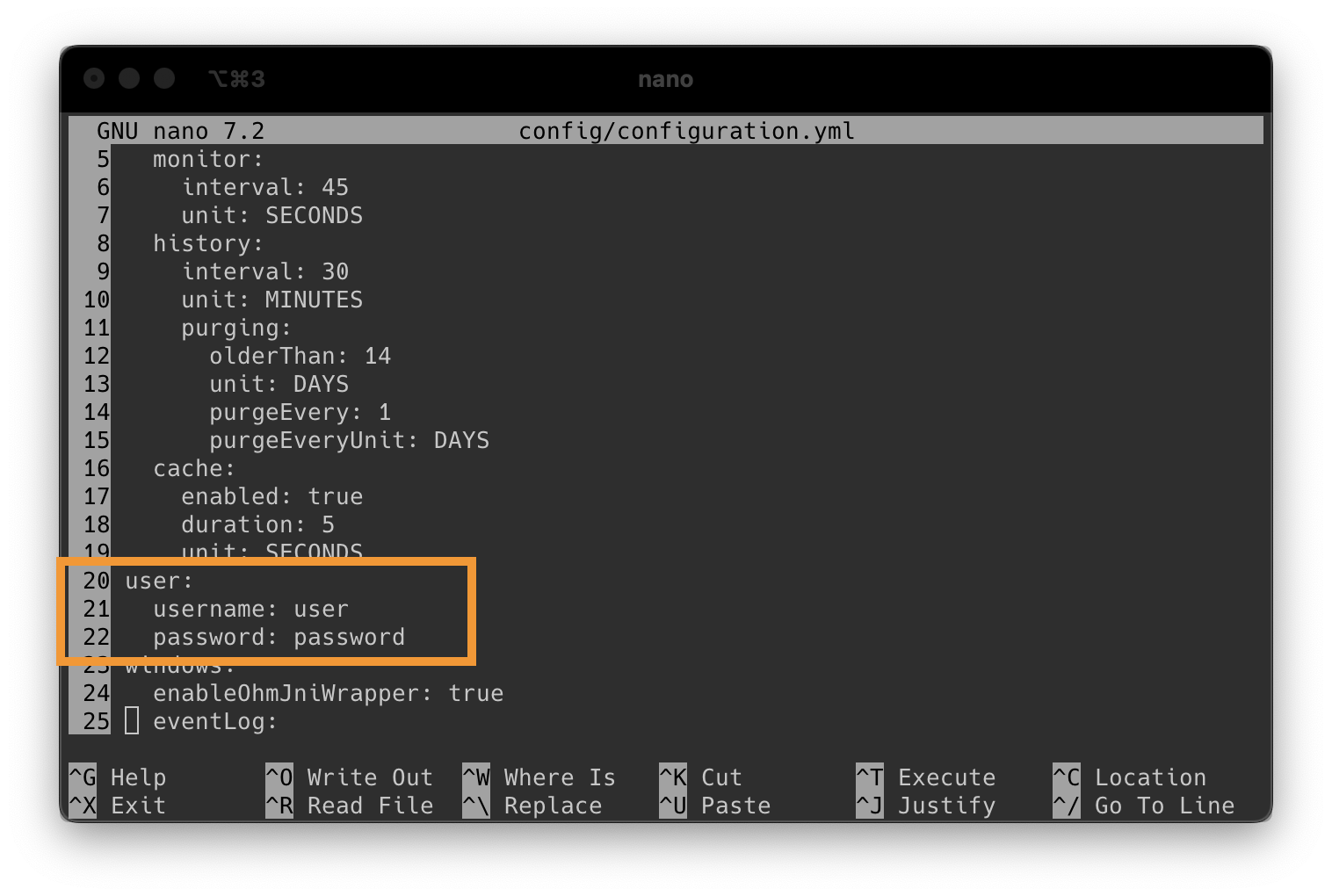
Then press CTRL+X to exit nano (and press Y to save)
Now we can start the container.
docker run -d \
    --net=host \
    --pid=host \
    --name monitee-agent \
    --cap-add SYS_RAWIO \
    -v ~/docker/monitee-agent/data:/data \
    -v ~/docker/monitee-agent/config:/config \
    -v /etc/localtime:/etc/localtime:ro \
    -v /var/run/docker.sock:/var/run/docker.sock \
    -v /run/udev:/run/udev:ro \
    -v /dev:/dev:ro \
    -v /srv:/srv:ro \
    -v /etc/os-release:/etc/os-release:ro \
    krillsson/sys-api
Want to monitor the temperature of disks? Each device you’d like to monitor has to be added to the command above through –device=/dev/sdX (sda, sdb, etc). List disks on your system with lsblk –nodeps -n -o name
Want to monitor a nvidia GPU? Also add this to the command:
-e ‘NVIDIA_VISIBLE_DEVICES’=’all’
-e ‘NVIDIA_DRIVER_CAPABILITIES’=’utility’
–runtime=nvidia
or substitute all with the specific gpu index (e.g “0”)
The agent runs the native build, which uses less memory, and falls back to Java on hosts it can’t run on. Want to choose for yourself? Add -e SYSAPI_RUNTIME=jvm to always run Java, or -e SYSAPI_RUNTIME=native to run the native build without falling back.
To manage systemd services and read the journal from the app, the host has to run systemd and the container needs these mounts as well. They are left out above because not every Docker host uses systemd. Add them to the command:
    -v /run/systemd:/run/systemd \
    -v /etc/machine-id:/etc/machine-id:ro \
    -v /run/systemd/journal/socket:/run/systemd/journal/socket:ro \
    -v /run/log/journal:/run/log/journal:ro \
Hosts that don’t use systemd can skip this. The agent turns the features off on its own when
systemd isn’t reachable. They can also be switched off under linux in configuration.yml.
The file browser is off by default. It can only reach the directories listed under roots in
configuration.yml, so a container needs the host directory bind mounted first. Add the mount to
the command above:
-v /mnt/user:/storage \and then list the path inside the container in configuration.yml:
fileBrowser:
  enabled: true
  access: READ
  roots:
    - /storage
access: READ gives browsing, reading and downloading. access: READ_WRITE also allows editing,
uploading, copying, moving and deleting. A few things worth knowing before turning that on:
- The container runs as root, so
READ_WRITEmeans the agent password is write access to everything you mount. Mount the directories you actually want to reach, never/. - Mount the volume
:rowhile you are onaccess: READ, and the kernel enforces the read only part for you. - Keep
/configand/dataout of the roots. If they are reachable,READ_WRITElets a caller edit the agent’s own configuration and database, and the agent says so in the log at startup.
Let’s verify the server started correctly
docker logs --follow --tail 200 monitee-agentWhen you see the following, we know that the server is up and running:
[...]: Tomcat started on ports 8443 (https), 8080 (http) with context path '/'
[...]: Started SysAPIApplicationKt in 6.352 seconds (process running for 7.234)
Now you are ready to proceed to next step
Connect App to Server